⚠️ ಪ್ರಕಟಿಸುವ ಮೊದಲು ಈ ಬಾಕ್ಸ್ ಡಿಲೀಟ್ ಮಾಡಿ — DELETE THIS BOX BEFORE PUBLISHING
(a) VERIFIED against primary sources:
- Missed call number 9966044425 and SMS format “EPFOHO UAN <LAN>” to 7738299899 — confirmed on the official EPFO passbook login page: passbook.epfindia.gov.in (fetched directly, both methods listed verbatim).
- Kannada language code for the SMS service is KAN (first three letters of the language) — corroborated by the EPFO Short Code SMS Service circular (epfindia.gov.in PDF) and a 2026 PIB press release on the same service, cross-checked against Paisabazaar/ClearTax/Bajaj Finserv summaries — all consistent.
- UAN member portal login fields (UAN + password, “Forgot Password”, “Activate UAN”) — confirmed by fetching unifiedportal-mem.epfindia.gov.in directly.
- UAN/KYC helpdesk toll-free number 1800-118-005 — appears verbatim on the official EPFO passbook page and in the title of the official EPFO UAN member portal user manual PDF (“Toll Free No. 1800-118-005”). Operating hours (9:15 AM–5:45 PM, all days except gazetted holidays) taken from EPFO helpdesk listings and not from the PDF itself since the PDF body could not be fetched — flagged as secondary-sourced, treat as indicative.
(b) Softened or excluded:
- Whether the SMS to 7738299899 is charged to the sender — could not confirm a “toll-free”/free claim against a primary EPFO source, so the article says normal SMS charges may apply rather than claiming it’s free.
- The requirement that “at least one KYC (Aadhaar/PAN/bank) must be seeded” for missed-call/SMS/passbook to work is widely repeated on secondary finance sites (Bajaj Finserv, Paisabazaar) but I could not pull the exact clause from a primary EPFO PDF (the two PDF fetch attempts 404’d/redirected without content). Stated in the article as a common/typical requirement, not as an absolute EPFO rule.
- Exact passbook non-availability for “exempted” (privately trust-managed) establishments is standard EPFO knowledge repeated across secondary sources; not verified against a primary EPFO clause this run — mentioned cautiously.
- Alternate short helpline “14470” appeared in one secondary source only — omitted, since only 1800-118-005 is confirmed via a primary EPFO document.
(c) Suggested 10-minute first-hand insight for the author: Do an actual missed-call + SMS test from your own registered mobile against a real UAN, note how many seconds the SMS reply takes and whether the passbook download PDF is watermarked/locked — that timing detail and a screenshot would make the guide feel first-hand rather than aggregated.
ಕೆಲಸ ಬದಲಾಯಿಸಿದಾಗ, ಅಥವಾ ಸುಮ್ಮನೆ ಎಷ್ಟು PF ಕೂಡಿದೆ ಎಂದು ತಿಳಿಯಬೇಕಾದಾಗ ಹೆಚ್ಚಿನವರು ಗೊಂದಲಕ್ಕೆ ಬೀಳುವುದು UAN, Member ID, ಮತ್ತು ಯಾವ ಆ್ಯಪ್/ಸೈಟ್ ಬಳಸಬೇಕು ಎಂಬಲ್ಲಿ. ವಾಸ್ತವದಲ್ಲಿ ಯಾವುದೇ ಆಫೀಸ್ಗೆ ಹೋಗದೆ, ಉಚಿತವಾಗಿ PF ಬ್ಯಾಲೆನ್ಸ್ ನೋಡಲು EPFO ನಾಲ್ಕು ಅಧಿಕೃತ ದಾರಿ ಕೊಟ್ಟಿದೆ — missed call, SMS, ವೆಬ್ ಪೋರ್ಟಲ್ ಮತ್ತು Umang ಆ್ಯಪ್. ಯಾವುದು ಯಾವಾಗ ಕೆಲಸ ಮಾಡುತ್ತೆ, ಮತ್ತು ಕೆಲಸ ಮಾಡದಿದ್ದಾಗ ಏನು ಮಾಡಬೇಕು ಎಂದು ಇಲ್ಲಿ ನೋಡೋಣ.
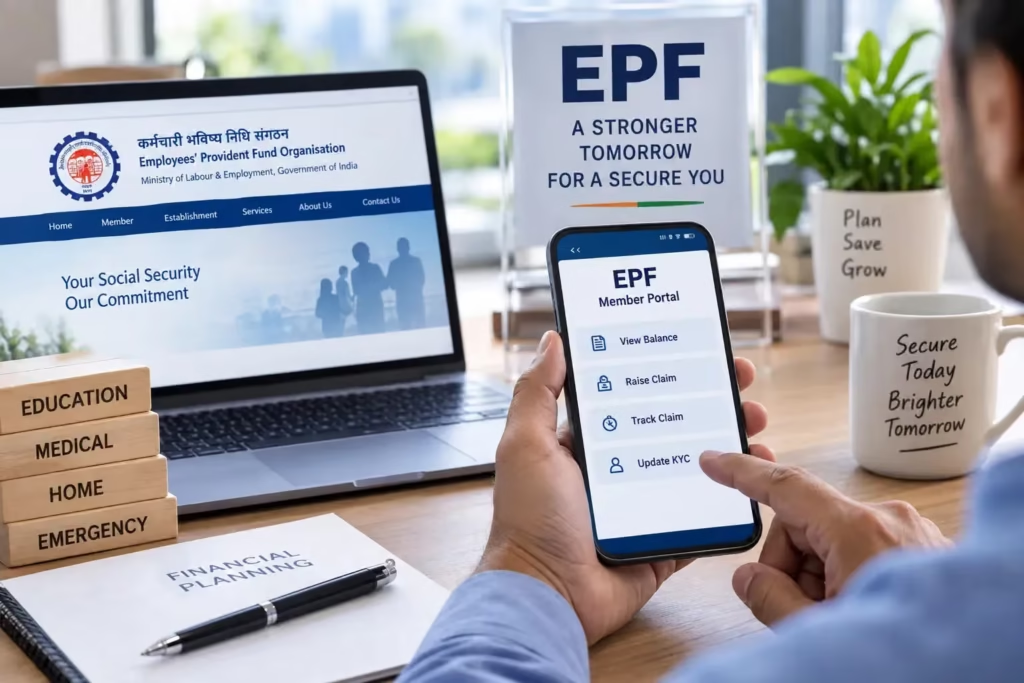
ಮೊದಲು ಇದನ್ನು ಖಚಿತಪಡಿಸಿಕೊಳ್ಳಿ
ಈ ಕೆಳಗಿನ ಎಲ್ಲಾ ವಿಧಾನಗಳಿಗೂ ಎರಡು ಷರತ್ತು ಸಾಮಾನ್ಯವಾಗಿ ಅನ್ವಯಿಸುತ್ತೆ: ನಿಮ್ಮ UAN ಆಕ್ಟಿವೇಟ್ ಆಗಿರಬೇಕು, ಮತ್ತು ಅದಕ್ಕೆ ಲಿಂಕ್ ಆಗಿರುವ mobile number ನಿಮ್ಮ ಬಳಿ ಇರಬೇಕು (ಅದೇ ನಂಬರ್ನಿಂದ call/SMS ಮಾಡಬೇಕು). UAN ಗೊತ್ತಿಲ್ಲದಿದ್ದರೆ, ಅಥವಾ ಆಕ್ಟಿವೇಟ್ ಆಗಿಲ್ಲದಿದ್ದರೆ, ಮೊದಲು unifiedportal-mem.epfindia.gov.in ನಲ್ಲಿ “Know Your UAN” ಅಥವಾ “Activate UAN” ಬಳಸಿ ಅದನ್ನು ಮೊದಲು ಸರಿಪಡಿಸಿಕೊಳ್ಳಿ — ಇಲ್ಲದಿದ್ದರೆ ಕೆಳಗಿನ ಯಾವ ವಿಧಾನವೂ ಫಲಿಸಲ್ಲ.
ವಿಧಾನ 1 — Missed Call (ಇಂಟರ್ನೆಟ್ ಬೇಡ)
UAN ಗೆ ಲಿಂಕ್ ಆಗಿರುವ ನಿಮ್ಮ registered mobile ನಿಂದ 9966044425 ಗೆ ಒಂದು missed call ಕೊಡಿ. ಎರಡು-ಮೂರು ರಿಂಗ್ ನಂತರ ಕರೆ ತಾನಾಗಿಯೇ ಕಟ್ ಆಗುತ್ತೆ, ಕೆಲವೇ ಸೆಕೆಂಡ್ಗಳಲ್ಲಿ SMS ಮೂಲಕ ನಿಮ್ಮ ಇತ್ತೀಚಿನ contribution ಮತ್ತು ಒಟ್ಟು ಬ್ಯಾಲೆನ್ಸ್ ಬರುತ್ತೆ. ಇದಕ್ಕೆ ಯಾವುದೇ ಆ್ಯಪ್ ಬೇಡ, ಇಂಟರ್ನೆಟ್ ಬೇಡ — ಗ್ರಾಮೀಣ ಪ್ರದೇಶದವರಿಗೆ ಇದೇ ಸುಲಭ ದಾರಿ.
ವಿಧಾನ 2 — SMS ಮೂಲಕ, ಕನ್ನಡದಲ್ಲೂ ಸಿಗುತ್ತೆ
ಅದೇ registered mobile ನಿಂದ 7738299899 ಗೆ EPFOHO UAN KAN ಎಂದು SMS ಕಳಿಸಿ — ರಿಪ್ಲೈ ಕನ್ನಡದಲ್ಲಿ ಬರುತ್ತೆ. ಇಂಗ್ಲಿಷ್ ಬೇಕಿದ್ದರೆ EPFOHO UAN ENG ಅಥವಾ ಬರೀ EPFOHO UAN ಸಾಕು (ಡಿಫಾಲ್ಟ್ ಇಂಗ್ಲಿಷ್). ಹಿಂದಿ, ತಮಿಳು, ತೆಲುಗು ಸೇರಿ ಇನ್ನೂ ಹಲವು ಭಾಷೆಗಳಲ್ಲೂ ಇದೇ ಫಾರ್ಮ್ಯಾಟ್ ಕೆಲಸ ಮಾಡುತ್ತೆ. ಇದು ನಿಮ್ಮ operator ಪ್ರಕಾರ ಸಾಮಾನ್ಯ SMS ದರದಲ್ಲಿ ಹೋಗಬಹುದು, ಗ್ಯಾರಂಟಿ ಉಚಿತ ಎಂದು ಹೇಳಲಾಗದು.
ವಿಧಾನ 3 — Passbook ಪೋರ್ಟಲ್ (ಪೂರ್ಣ ಹಿಸ್ಟರಿ, ಮತ್ತು PDF ಡೌನ್ಲೋಡ್ ಬೇಕಿದ್ದರೆ)
ತಿಂಗಳ-ವಾರು contribution history ಮತ್ತು PDF passbook ಬೇಕಿದ್ದರೆ passbook.epfindia.gov.in ಗೆ ಹೋಗಿ, UAN ಮತ್ತು password ಹಾಕಿ ಲಾಗಿನ್ ಆಗಿ. Password ಮೊದಲ ಬಾರಿ ಸೆಟ್ ಮಾಡಿಲ್ಲ ಅಥವಾ ಮರೆತಿದ್ದೀರಾ ಎಂದಾದರೆ, unifiedportal-mem.epfindia.gov.in ನಲ್ಲಿ “Forgot Password” ಬಳಸಿ registered mobile ಗೆ OTP ತರಿಸಿಕೊಳ್ಳಿ. ಒಂದು ಗಮನಿಸಬೇಕಾದ ವಿಷಯ: ನಿಮ್ಮ ಕಂಪನಿ EPFO ಬದಲು ಸ್ವಂತ trust ಮೂಲಕ PF ನಿರ್ವಹಿಸುತ್ತಿದ್ದರೆ (exempted establishment), ಈ passbook ಇಲ್ಲಿ ಕಾಣಿಸಲ್ಲ — ಆಗ ಕಂಪನಿಯ HR/trust ಅನ್ನೇ ಕೇಳಬೇಕು.
ವಿಧಾನ 4 — Umang ಆ್ಯಪ್
ಸರ್ಕಾರದ ಅಧಿಕೃತ Umang ಆ್ಯಪ್ ಇನ್ಸ್ಟಾಲ್ ಮಾಡಿ, ಒಳಗೆ “EPFO” ಎಂದು ಹುಡುಕಿ, “Employee Centric Services” ಅಡಿಯಲ್ಲಿ “View Passbook” ಆಯ್ಕೆ ಒತ್ತಿ. UAN ಹಾಕಿದ ಮೇಲೆ registered mobile ಗೆ ಬರುವ OTP ಹಾಕಿ ಲಾಗಿನ್ ಆಗಬಹುದು — ಪ್ರತ್ಯೇಕ password ನೆನಪಿಟ್ಟುಕೊಳ್ಳುವ ಅಗತ್ಯ ಇಲ್ಲ ಎಂಬುದೇ ಇದರ ಅನುಕೂಲ.
ಬ್ಯಾಲೆನ್ಸ್ ಸಿಗುತ್ತಿಲ್ಲವೇ? ಇಲ್ಲಿ ಪರಿಹಾರ ನೋಡಿ
- Missed call/SMS ಗೆ ಯಾವುದೇ ರಿಪ್ಲೈ ಬರುತ್ತಿಲ್ಲ: ಸಾಮಾನ್ಯವಾಗಿ ಇದರರ್ಥ ನಿಮ್ಮ mobile number UAN ಗೆ ಲಿಂಕ್ ಆಗಿಲ್ಲ, ಅಥವಾ Aadhaar/PAN/ಬ್ಯಾಂಕ್ ಖಾತೆಯಲ್ಲಿ ಯಾವುದೂ KYC ಆಗಿ ಸೀಡ್ ಆಗಿಲ್ಲ. unifiedportal-mem ನಲ್ಲಿ ಲಾಗಿನ್ ಆಗಿ ಪ್ರೊಫೈಲ್ನಲ್ಲಿ ಇದನ್ನು ಚೆಕ್ ಮಾಡಿ, ಅಗತ್ಯ ಬಿದ್ದರೆ ಉದ್ಯೋಗದಾತರ (employer) ಮೂಲಕ ಸರಿಪಡಿಸಿಕೊಳ್ಳಿ.
- Passbook ಪೋರ್ಟಲ್ನಲ್ಲಿ ಲಾಗಿನ್ ಆಗ್ತಿಲ್ಲ: password ಮೂರು-ನಾಲ್ಕು ಬಾರಿ ತಪ್ಪಾದರೆ ಸ್ವಲ್ಪ ಹೊತ್ತು ಲಾಕ್ ಆಗಬಹುದು — “Forgot Password” ಮೂಲಕ ಹೊಸದಾಗಿ ಸೆಟ್ ಮಾಡಿಕೊಳ್ಳುವುದೇ ವೇಗದ ದಾರಿ.
- ಹಳೆಯ ಕಂಪನಿಯ PF ಹಣ ಈಗಿನ ಬ್ಯಾಲೆನ್ಸ್ನಲ್ಲಿ ಕಾಣಿಸ್ತಿಲ್ಲ: ಉದ್ಯೋಗ ಬದಲಾದಾಗ ಹಳೆಯ PF ಖಾತೆ ಹೊಸ UAN ಗೆ ಆಟೋಮ್ಯಾಟಿಕ್ ಆಗಿ ವರ್ಗಾವಣೆ ಆಗಲ್ಲ — member ಪೋರ್ಟಲ್ನಿಂದ transfer claim ಸಲ್ಲಿಸಬೇಕು.
- ಒಂದಕ್ಕಿಂತ ಹೆಚ್ಚು UAN ಇವೆ ಎಂದು ಗೊತ್ತಾಯ್ತು: ಇದು ಸಾಮಾನ್ಯ ಸಮಸ್ಯೆ, ಬೇರೆ ಬೇರೆ ಕಂಪನಿ ಬೇರೆ UAN ಜನರೇಟ್ ಮಾಡಿದಾಗ ಆಗುತ್ತೆ. UAN ಹೆಲ್ಪ್ಡೆಸ್ಕ್ ಸಂಪರ್ಕಿಸಿ merge ಮಾಡಿಸಬೇಕು, ಇಲ್ಲದಿದ್ದರೆ ಒಟ್ಟು ಬ್ಯಾಲೆನ್ಸ್ ಸರಿಯಾಗಿ ಗೊತ್ತಾಗಲ್ಲ.
ಇವೆಲ್ಲದರ ನಂತರವೂ ಸಮಸ್ಯೆ ಇದ್ದರೆ EPFO ಟೋಲ್-ಫ್ರೀ UAN/KYC ಹೆಲ್ಪ್ಡೆಸ್ಕ್ 1800-118-005 ಗೆ ಕರೆ ಮಾಡಿ (ಸಾಮಾನ್ಯವಾಗಿ ಬೆಳಿಗ್ಗೆ 9:15 ರಿಂದ ಸಂಜೆ 5:45 ರವರೆಗೆ, ಎಲ್ಲಾ ದಿನ ಲಭ್ಯ), ಅಥವಾ uanepf@epfindia.gov.in ಗೆ ಇಮೇಲ್ ಬರೆಯಿರಿ. ಒಂದು ಎಚ್ಚರಿಕೆ: EPFO ಎಂದೂ ಫೋನ್ ಕರೆ ಮಾಡಿ Aadhaar, PAN, ಬ್ಯಾಂಕ್ ಡೀಟೇಲ್ಸ್ ಅಥವಾ OTP ಕೇಳುವುದಿಲ್ಲ — ಅಂಥ ಕರೆ ಬಂದರೆ ಅದು ಖಂಡಿತ ವಂಚನೆ.
ನಿಮ್ಮ PF ಬ್ಯಾಲೆನ್ಸ್ ಎಷ್ಟು ವರ್ಷಗಳಲ್ಲಿ ಎಷ್ಟಾಗಬಹುದು ಎಂದು ಅಂದಾಜು ಮಾಡಲು ನಮ್ಮ Calculators ಪುಟ ನೋಡಿ. ಚಿನ್ನದಲ್ಲಿ ಸ್ವಲ್ಪ ಉಳಿತಾಯ ಮಾಡುವವರು ದೈನಂದಿನ ದರಕ್ಕೆ ಇಂದಿನ ಚಿನ್ನದ ದರ ಪುಟ ನೋಡಬಹುದು.
FAQ — ಪದೇ ಪದೇ ಕೇಳುವ ಪ್ರಶ್ನೆಗಳು
ನನಗೆ UAN ಗೊತ್ತಿಲ್ಲ, ಹೇಗೆ ಪಡೆಯುವುದು?
unifiedportal-mem.epfindia.gov.in ನಲ್ಲಿ “Know Your UAN” ಆಯ್ಕೆ ಬಳಸಿ Aadhaar ಸಂಖ್ಯೆ ಮತ್ತು ಅದಕ್ಕೆ ಲಿಂಕ್ ಆಗಿರುವ mobile ಮೂಲಕ OTP ಪಡೆಯಬಹುದು. ಇಲ್ಲದಿದ್ದರೆ ಉದ್ಯೋಗದಾತರ HR ಬಳಿ ಕೇಳಿ.
ಈ ತಿಂಗಳ ಸಂಬಳದ contribution passbook ನಲ್ಲಿ ಕಾಣಿಸ್ತಿಲ್ಲ, ಸಮಸ್ಯೆಯೇ?
ಇದು ಸಾಮಾನ್ಯ. ಉದ್ಯೋಗದಾತ ECR ಫೈಲ್ ಮಾಡಿ ಹಣ ಜಮಾ ಮಾಡಿದ ನಂತರವೇ ಅದು passbook ನಲ್ಲಿ ಕಾಣಿಸುತ್ತೆ, ಸಾಮಾನ್ಯವಾಗಿ ಮುಂದಿನ ತಿಂಗಳ ಆರಂಭದಲ್ಲಿ ಅಪ್ಡೇಟ್ ಆಗುತ್ತೆ. ಎರಡು-ಮೂರು ತಿಂಗಳಾದರೂ ಕಾಣಿಸದಿದ್ದರೆ HR ಬಳಿ ECR ಫೈಲಿಂಗ್ ಬಗ್ಗೆ ಕೇಳಿ.
ಬ್ಯಾಲೆನ್ಸ್ ಚೆಕ್ ಮಾಡುವುದೂ, withdraw ಮಾಡುವುದೂ ಒಂದೇ ಪ್ರಕ್ರಿಯೆಯೇ?
ಇಲ್ಲ, ಇವೆರಡೂ ಪ್ರತ್ಯೇಕ. ಬ್ಯಾಲೆನ್ಸ್ ನೋಡುವುದು ಮೇಲಿನ ನಾಲ್ಕು ವಿಧಾನಗಳಲ್ಲಿ ಯಾವುದಾದರೂ ಆಗುತ್ತೆ, ಆದರೆ withdrawal/claim ಗೆ member ಪೋರ್ಟಲ್ನಲ್ಲಿ ಪ್ರತ್ಯೇಕ ಫಾರಂ (Form 19/31 ಇತ್ಯಾದಿ) online ಸಲ್ಲಿಸಬೇಕಾಗುತ್ತೆ.
ಸೂಚನೆ: ಈ ಲೇಖನ ಸಾಮಾನ್ಯ ಮಾಹಿತಿಗಾಗಿ ಮಾತ್ರ. ಸಂಖ್ಯೆಗಳು, ಫೋನ್ ನಂಬರ್ ಮತ್ತು ಪ್ರಕ್ರಿಯೆಗಳು ಕಾಲಕಾಲಕ್ಕೆ ಬದಲಾಗಬಹುದು. ಯಾವುದೇ ಕ್ರಮ ಕೈಗೊಳ್ಳುವ ಮೊದಲು epfindia.gov.in ಅಧಿಕೃತ ಜಾಲತಾಣದಲ್ಲಿ ಪರಿಶೀಲಿಸಿ ಅಥವಾ EPFO ಹೆಲ್ಪ್ಡೆಸ್ಕ್ ಸಂಪರ್ಕಿಸಿ. Nimma Info ಯಾವುದೇ ಸರ್ಕಾರಿ ಇಲಾಖೆಯೊಂದಿಗೆ ಸಂಬಂಧ ಹೊಂದಿಲ್ಲ.